

There are 3 types of WiFi antenna extender systems:
- Indoor Coverage
- Point to Point (Building to Building)
- Indoor to Outdoor
Long range WiFi antenna solutions offer a great way to expand your existing network or access one from far away.
This helps save money by not having to pay for a second internet line, increases convenience by using your current service, and the ability to use internet and apps in places where you couldn't before.
In order to create a long range WiFi network, a few considerations have to be address and overcome. For example:

Point to Point (Building to Building) WiFi - Example of How it Works
A point-to-point WiFi antenna system can reach up to 1 mile in the distance to pull in signal.
Why is this important?
WiFi is strongest at its source which is generally inside the home in the office or living room. In larger areas, it will rarely reach outside the home and even has more trouble to reach a second building next to the house.
Point-to-point WiFi systems help bridge internet between two buildings.

Pros:
- Great for detached barns, garages, or workshops.
- No need to spend money on a SECOND internet connection.
- Can share internet with family and neighbors.
Cons:
- Slightly slower speed, because it is dependent on WiFi source for two buildings.
- Slightly more latency.
Indoor to Outdoor WiFi
An indoor-to-outdoor WiFi system can reach from inside the home to outside up to ½ mile.
Why is this important?
WiFi is strongest at its source which is generally inside the home in the office or living room. In larger areas, it will rarely reach outside the home.
Indoor-to-outdoor WiFi systems help bypass building material interference and broadcast signal outside.

Pros:
- Get signal outside: farm, yard, pool, and other areas.
- No need to spend money on SECOND internet connection.
- Can share internet with family and neighbors.
Cons:
- Works best in open areas with clear line of sight to the antenna.
- Slightly lower latency.
Other Long Range WiFi Equipment:
Long Range WiFi Antennas
Antennas come in different shapes & sizes and can be confusing when determining which antenna is right for you. Luckily, we break it down in plain English.
Here’s what you need to know:
- Type of antenna: directional or omni-directional.
- dBi (Gain): signal strength of the antenna.
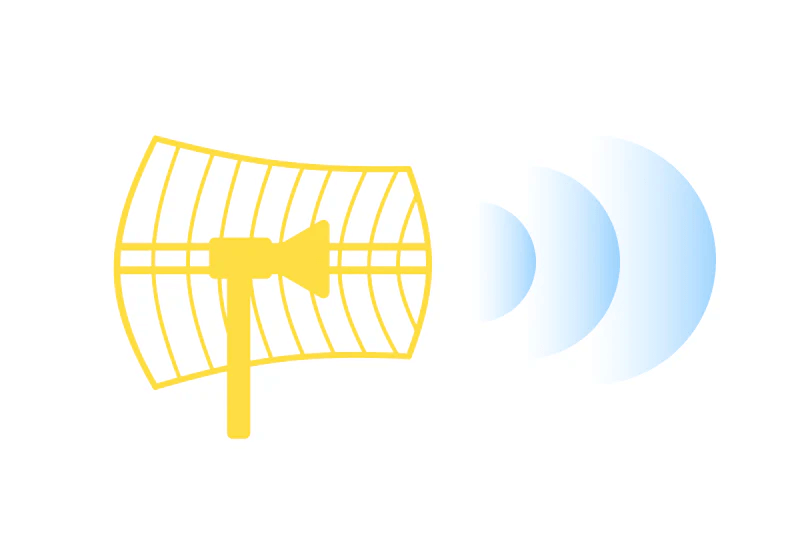
Directional WiFi Antenna
Directional antennas work like a flashlight and has a smaller area of coverage, but reaches farther in
distance. Under best conditions, it can reach up to 8 miles. It’s
important to note the farther the reach, the smaller the broadcasting
pattern. So it’s a tradeoff with area coverage vs reach.
Directional antennas include yagi, cantennas, panels, and parabolic grids. dBi measures the potential strength and reach of the antenna. However more is not always
better and the right antenna is dependent on your application.
Omni-Directional
Omni-directional antennas work like a lamp.
It has a 360 degree coverage area, but has limited range. Under best conditions, it can reach up to 1/2 mile.
Omni-directional antennas are shaped like cylinders.
Shop Omni-Directional Antennas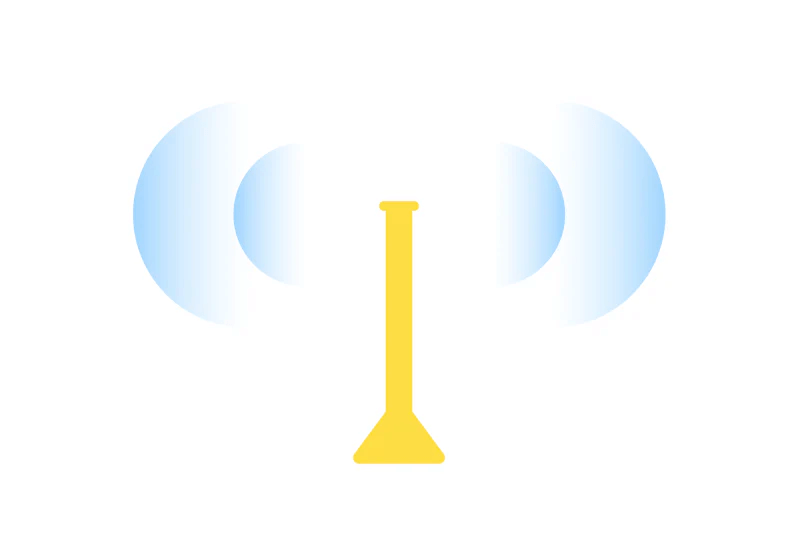
Pros & Cons
Directional WiFi Antenna
Pro:
Great for when coverage is needed at a specific point or area.
Con:
The farther the reach, the more narrow the coverage as it pinpoints to a specific area.
Omni-directional
Pro:
Great for 360 degree area coverage
Con:
Less forward reach than a directional antenna.
With increased gain (dBi) on the antenna, the coverage area (beamwidth) is reduced. There’s also a third component that can modify these figures and that is the operating frequency or band. For this conversation we will stick to the WiFi bands: 2.4GHz and 5GHz.

So Which Antenna is Right for You?
It honestly depends on the situation. But in general: directional antennas are specialized to reach farther but cover less area. Omni antennas are general performers that cover more area but doesn't reach as far.
Everything depends on your situation such as distance from the signal source, obstructions, and areas where you need signal.
Long Range WiFi Cables & Connectors
Long Range WiFi cable connections include Ethernet cable and coaxial cable. Ethernet cable is generally used to connect devices, like a router to another router for example, while coaxial is used to connect the device to the antenna.
Ethernet cable can run up to 328 feet and experiences very little loss since it’s a digital cable.
Coaxial cable, depending on the type, can run up to 100 ft and experiences higher dB loss since it’s an analog cable. As a rule of thumb, you always want to go with the shortest cable length and thickest cable type possible.
Ethernet and coaxial cannot be interchanged and cannot be converted without a radio device/converter in between.
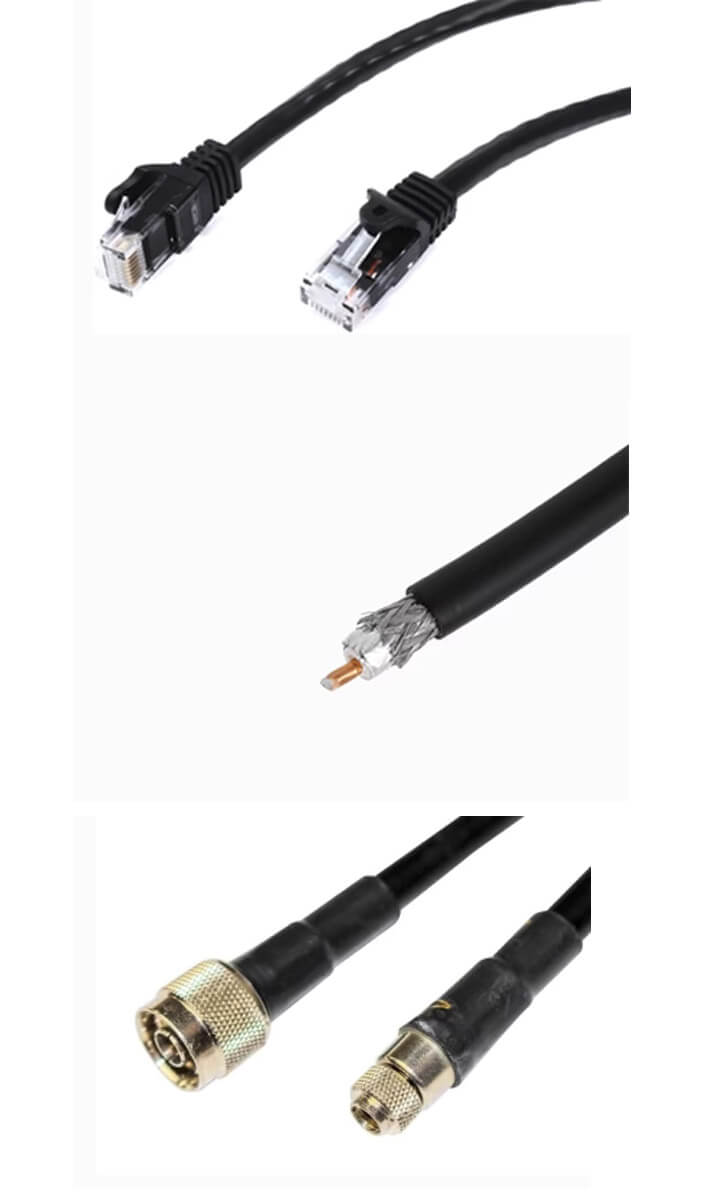
Ethernet Vs Coax Cables
Ethernet Cable: Connect network device to another network device.
Ethernet Cable Type
CAT5e: Reach up to 328 feet, max speed at 1 Gbps
CAT6: Reach up to 368, max speed at 10 Gbps
Coaxial Cable; Connects network device to the antenna.
Coaxial Cable Type
L-195: Good
L-240: Better
L-400: Best
Cable Connector Type
N-Connectors
SMA- Connectors
Frequently Asked Questions
All our PiFi systems work on WiFi networks. So anything
WiFi-related (2.4 GHz & 5 GHz), we can help. Our systems do not
work well or at all with Apple routers.
Sure can. Here are reviews for the PiFi Long Range WiFi Repeater and for the PiFi Outdoor WiFi Extender.
In-home WiFi extenders like Orbi, Ubiquiti, and Google WiFi isn't our speciality. We focus on long range WiFi.
All of our kits are designed to be DIY installations.
30 day better signal or money back guarantee.
Yes, we have a hotspot solution.